Table of Contents
Table of Contents
- 1. Before-and-after transformations
- 2. Project walkthroughs
- 3. Seasonal landscaping tips
- 4. Behind-the-scenes crew content
- 5. Service spotlight tips
- 6. Customer testimonials
- 7. Educational “how-to” posts
- 8. Local proof and community posts
- 9. Plant or material showcases
- 10. FAQ or myth-busting posts
- 11. Promotional or booking posts
- 12. User-generated or customer content
- How do you optimize Instagram posts for local discoverability?
- Over to you
- Frequently asked questions (FAQs)
Instagram is a powerful platform for showcasing your landscaping projects and building brand recognition in your local market. But a feed full of random job site photos rarely turns followers into booked estimates.
Every post needs a purpose and a reason for a prospect to contact you.
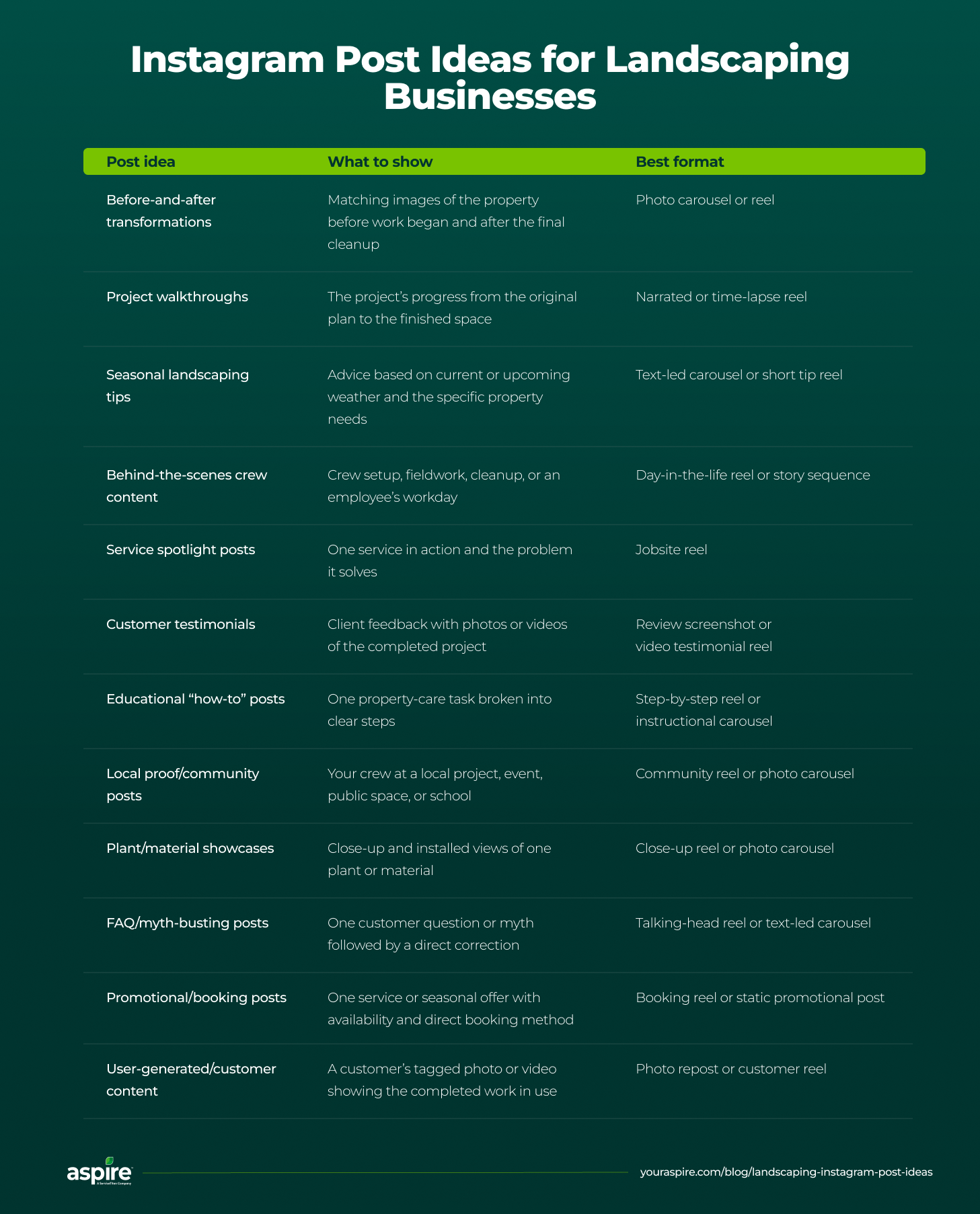
These 12 landscaping Instagram post ideas show you what to post and which format works best. Each entry ties the idea to a specific lead-generation goal and includes a real example from a real landscaping business for reference.
Use the ideas in this guide to create engaging content that helps homeowners and commercial property managers discover your business and request landscaping services.
1. Before-and-after transformations
Before-and-after transformation posts outline the visible contrast between a property’s initial condition and your crew’s finished work.
Here’s how to create an effective before-and-after post:
Pair before-and-after pictures taken from a similar viewpoint
Use consistent framing to make the changes easy to see
Add short captions explaining the property issues and services provided
Use carousel posts or reels
Goal: Showcase the value of your team’s work and encourage potential customers with similar needs to request an estimate.
Best use case: A major renovation project or cleanup that shows an obvious visual change.
Example from Tussey Landscaping/tussey.landscaping
Tussey Landscaping shares a real-time before-and-after reel of a completed residential project involving a swimming pool installation.
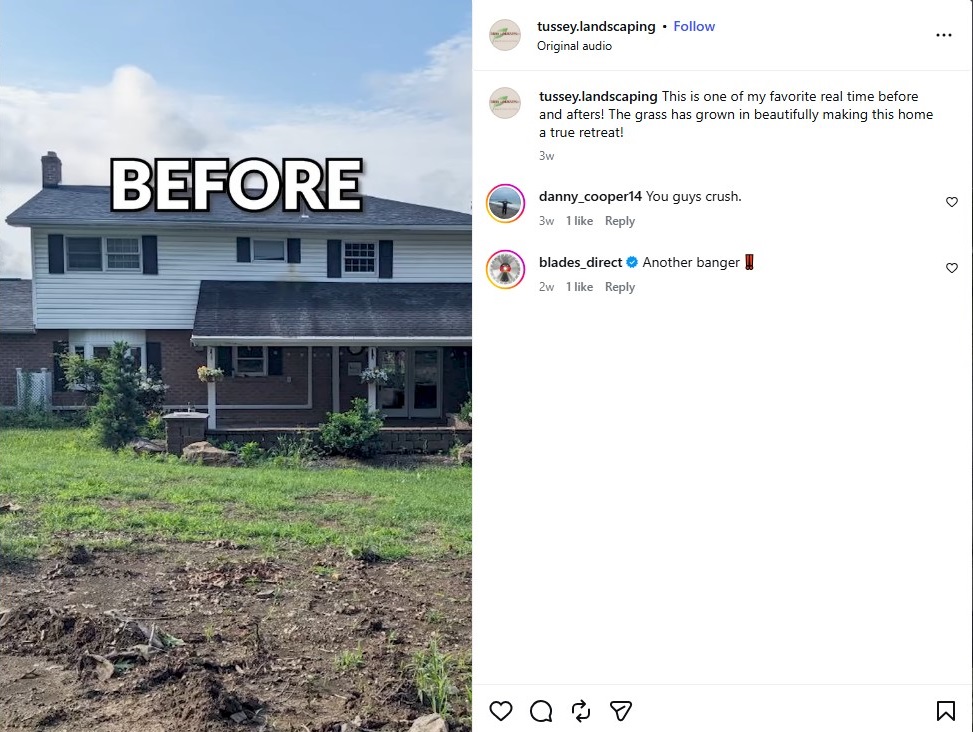
The reel shows the property before the project began and then reveals the same area after the grass has grown and the swimming pool has been installed.
By returning to the site once the landscaping has matured, the company also gives viewers a realistic picture of what the project looks like beyond installation day.
2. Project walkthroughs
Project walkthroughs include behind-the-scenes content from different stages of one project.
To add value to the visual content, mention the project duration and service area, and try to pair each post with a wider plan for marketing your landscaping business.
To create a walkthrough post that works:
Record short videos during preparation, installation, and cleanup
Combine the videos into a time-lapse clip
Add narration explaining each stage
Use captions if the video has no narration
Goal: Show viewers the work that goes into your services and give prospects a reason to contact you.
Best use case: A multi-day project or installation that involves multiple visible steps.
Example from Visualized Landscape/visualizedlandscape
Visualized Landscape shared a time-lapse video of a complete backyard remodeling project.
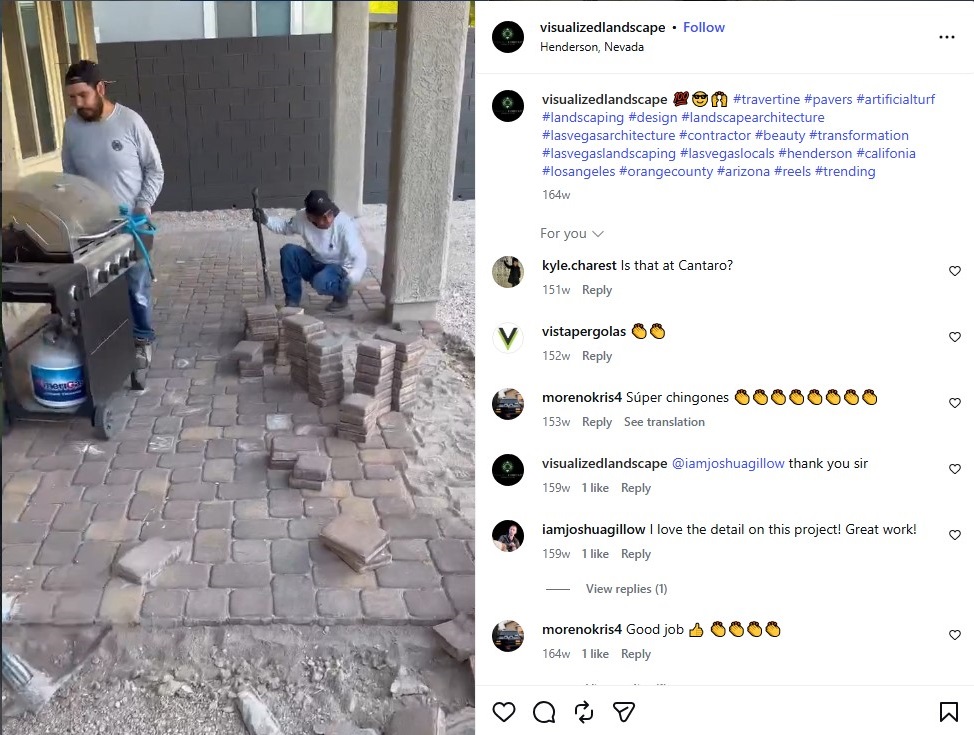
The video follows the crew as a bare yard transforms into a finished space with travertine pavers and artificial turf. Fast playback condenses several stages of the project into a short clip while keeping the project order intact.
Pay attention to how the camera remains focused on the active job site. That helps viewers see the work behind the finished surface and understand how materials fit together.
3. Seasonal landscaping tips
Posts with seasonal landscaping tips aim to answer questions regarding property care as weather conditions change. Use a short tip reel or text-led carousel.
Here’s how to create one:
Match your advice to the local climate
Add on-screen text so viewers can follow without sound
Connect each topic with services that you can offer
Cover spring tasks such as debris removal
Address summer concerns such as irrigation timing
Use action footage for snow removal services
Close with a clear prompt inviting viewers to contact your team
Goal: Help local customers make better care decisions regarding their outdoor spaces and connect each problem with a relevant service.
Best use case: Publish before demand rises for seasonal work.
Example from The Grounds Guys/thegroundsguys
In a May 2026 post, The Grounds Guys explains how to get your yard ready for summer.
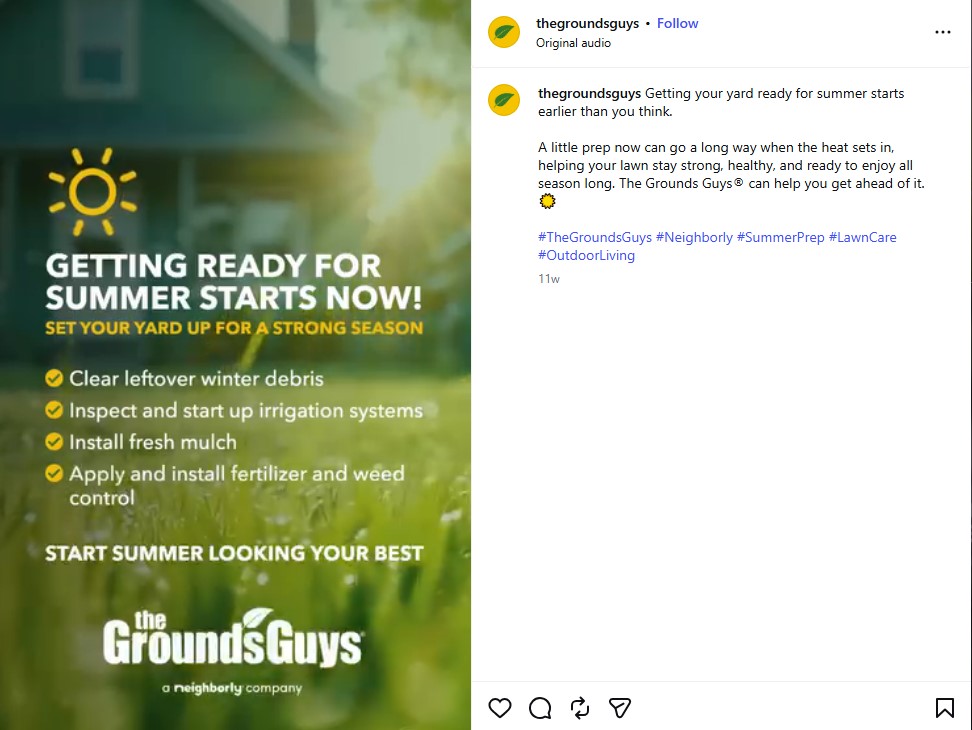
The post’s caption creates urgency by explaining why summer care matters. A short video keeps the tips easy to follow and ties them to the company’s lawn care services.
This post's value comes from its timing. Posting before temperatures peak gives viewers a reason to contact the team before lawn damage appears.
4. Behind-the-scenes crew content
Behind-the-scenes crew content showcases the people, processes, and day-to-day work behind each project. These posts help prospects meet the team they’ll be hiring, making your business feel more approachable and trustworthy.
Public recognition also helps motivate your landscaping crew. Turn the footage into a day-in-the-life reel or a sequence of Instagram stories to highlight your team’s expertise and company culture.
Capture your crew’s workday with these steps:
Follow one of your crew members during a typical workday
Record setup, fieldwork, and cleanup clips
Add short on-screen captions with names and roles
Always avoid showing customer addresses or other private details
Goal: Build customer trust while giving employees credit for their hard work.
Best use case: Employee introductions, work anniversaries, training days, or hiring campaigns.
Example from K&D Landscaping/kanddlandscaping
K&D Landscaping introduces one of their employees, Shantel, through a day-in-the-life reel.
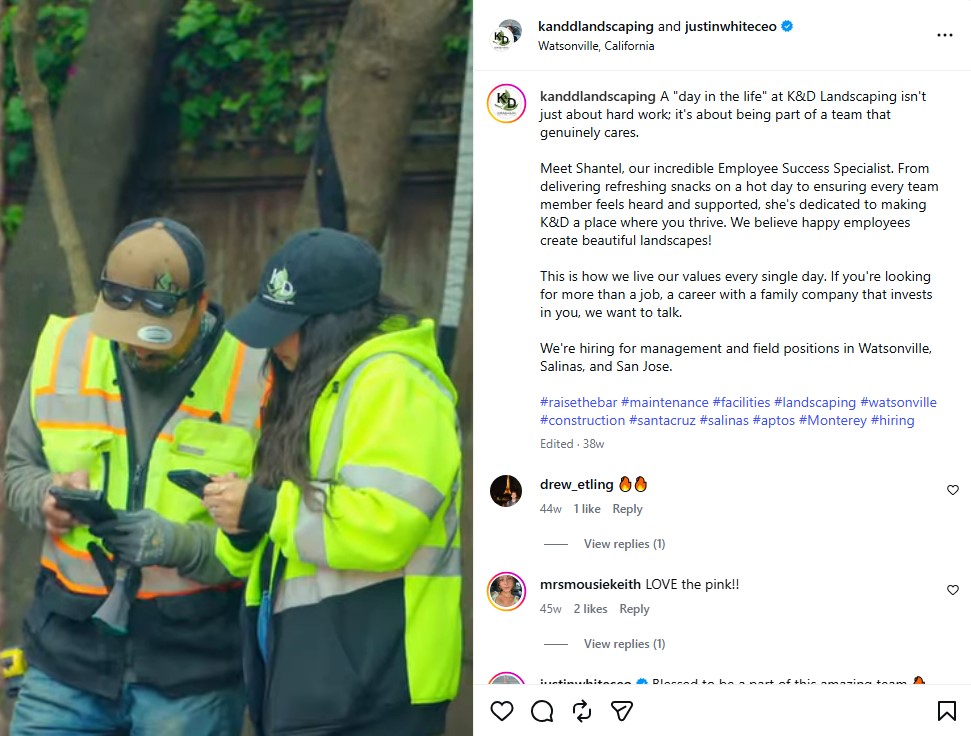
The reel puts a real employee at the center of the company’s story. Viewers see the person connected to the work instead of another project photo.
This post is effective because it focuses on people. Introducing a team member helps humanize the brand, build trust with potential customers, and showcase the company’s culture authentically.
5. Service spotlight tips
Posts with service spotlight tips outline one of the services you offer and the customer problem it can solve. Organic videos recorded during scheduled jobs are one of the cheapest ways to advertise your landscaping business and the services it offers.
Use a short reel built from job-site footage and shape each post around one clear service:
Open with a common property problem, for example, lawn aeration
Film your crew while performing the service
Explain one benefit of the service through on-screen text or captions
Finish with a prompt to request an estimate
Goal: Help viewers understand your services and contact your team while the problem feels urgent.
Best use case: High-margin add-ons or services that customers often misunderstand.
Example from Vinedresser Lawn and Landscape/vinedresserlawnandlandscape
Vinedresser Lawn and Landscape uses a short reel to showcase its shrub trimming service.
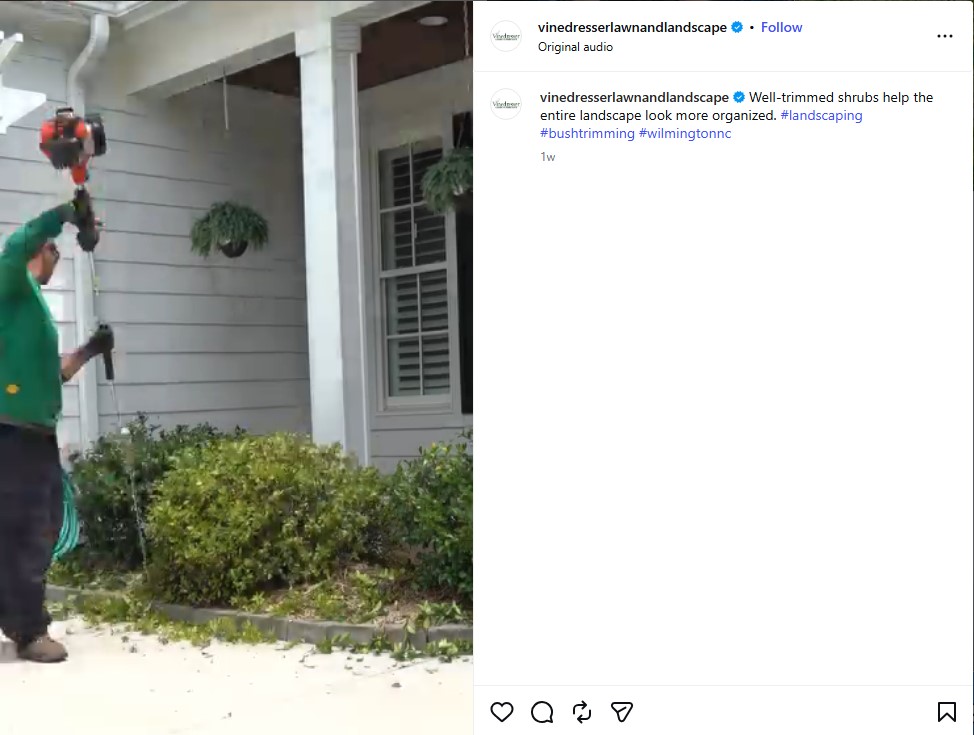
The reel shows how neatly trimmed shrubs can give your entire yard a cleaner appearance. The images are impactful because of the simple message.
Viewers see the service result and understand its value within seconds. For better reach, use local hashtags to connect your business with prospects in your service area.
6. Customer testimonials
Instagram posts with client testimonials feature real feedback from clients who hired your company. Use a screenshot of a written review in a static post or carousel. For more personal feedback, use video testimonials beside the completed project.
A short follow-up message motivates customers to review your landscaping business after the project is complete.
Turn one customer experience into a post:
Choose a review that names the service or result
Pair the quote with footage of the completed job
Keep the customer’s wording accurate
Ask for permission before sharing names or photos
Goal: Give viewers credible proof from someone who already paid for the service.
Best use case: Completed installations, major property renovations, or long-term maintenance contracts.
Example from Bates Landscaping/bateslandscapingltd
A Google review left by customer JB for Bates Landscaping serves as a good example of a review post.
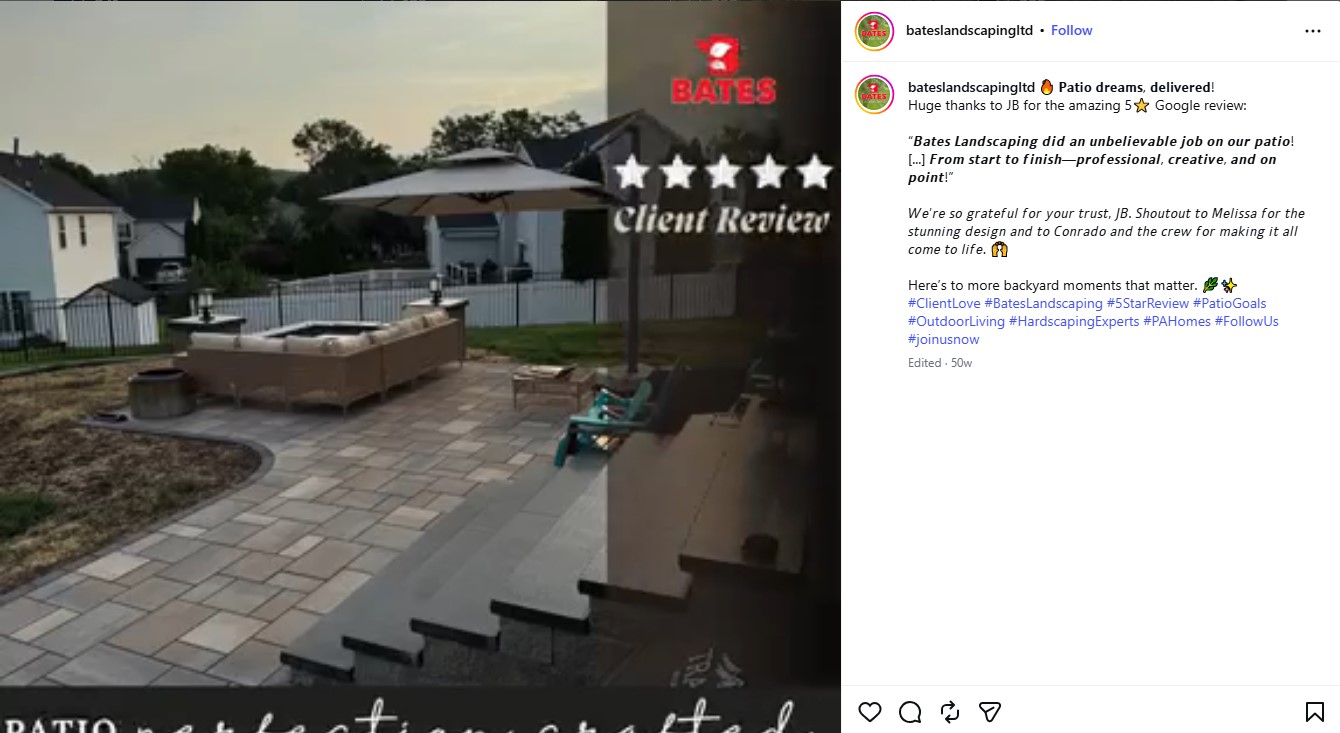
The review mentions the patio installation and credits the design and construction teams. An image of the completed project supports the customer’s comments with visible proof.
The direct match between the customer's words and the photo of the finished patio gives the post its strength. Prospects see what the customer valued while viewing the patio they might want for themselves.
7. Educational “how-to” posts
Educational “how-to” posts break one common property task into steps viewers can easily follow. Useful advice and tutorials also help you retain customers by helping them care for their properties between visits from your landscaping crews.
Use a step-by-step reel or instructional carousel and build your posts around one job-site demonstration:
Answer one question in the opening line
Record each action from a close angle
Add captions and on-screen text for viewers watching without sound
End the post with a safety note or contact prompt
Goal: Educate viewers about something useful while demonstrating your company’s knowledge.
Best use case: Maintenance questions, aftercare instructions, or tasks customers often complete incorrectly.
Example from Big Lakes Lawncare/biglakeslawncare
A common question about new sod is answered by a short reel posted by Big Lakes Lawncare.
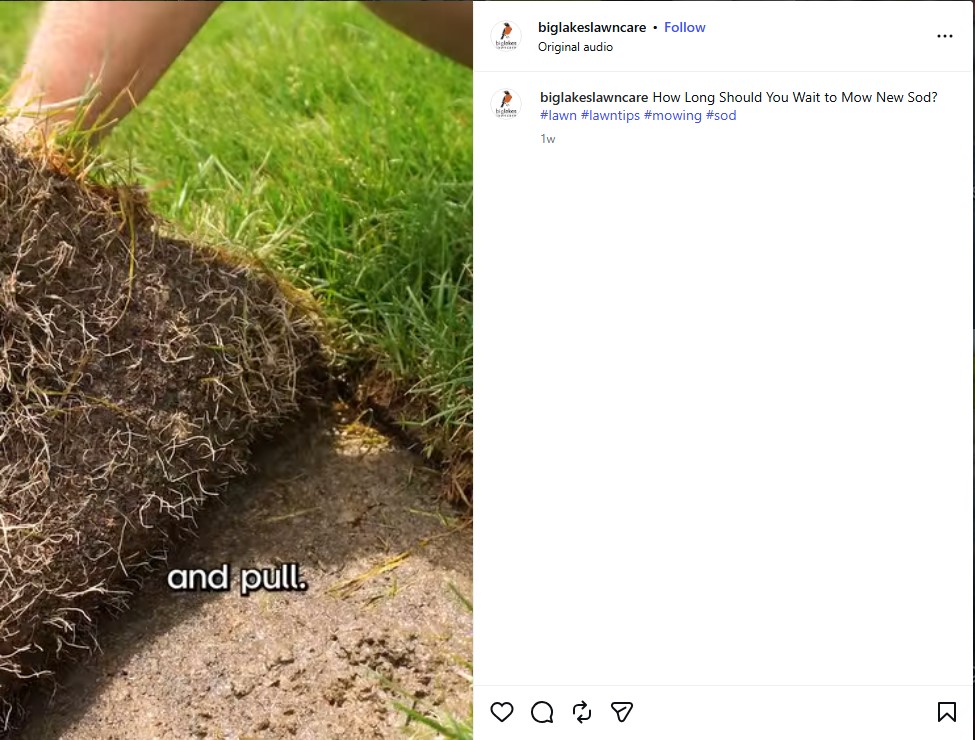
The reel opens with a direct question and answers it through field-based instructions. Another advantage is that its narrow format keeps the advice easy to follow.
Viewers leave with a practical answer while the company demonstrates its experience with new lawns.
8. Local proof and community posts
Local proof and community posts on Instagram link your company to well-known schools, events, and public spaces where your crews have contributed. Community posts also promote your landscaping business by showcasing your involvement in local and charitable events.
Use a community reel or photo carousel that names and tags the local partner.
Ground each post in a place local followers can recognize:
Name the community partner and location
Show your crew contributing to the project
Tag the partner and add a local tag and hashtags
Explain who will benefit from the project
Goal: Make your company more recognizable in your area and make customers understand its role in the community.
Best use case: Volunteer projects or local event sponsorships.
Example from Bridges Elite Landscapes/bridgeselitelandscapes
A project at Cooper Elementary School gives Bridges Elite Landscapes a valuable local story to post.
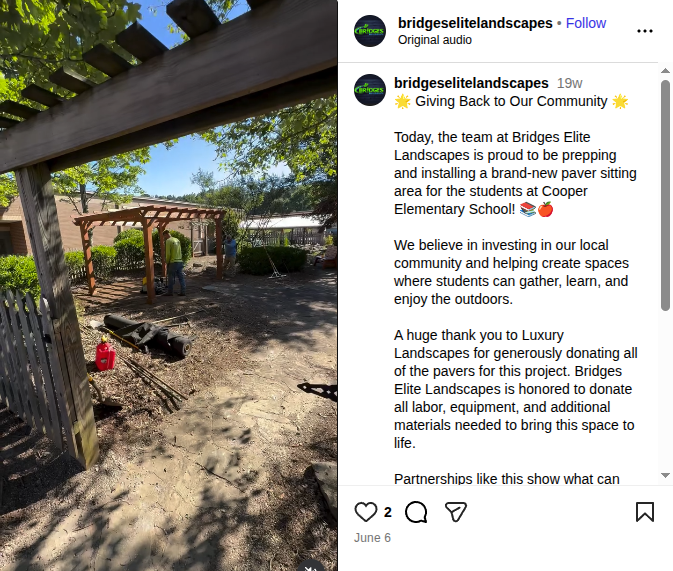
The reel follows the crew as they prepare and install a new area. The company contributed labor, equipment, and additional materials. Showing the finished seating space gives the post a clear result that students can use.
Nearby families can recognize the school, which strengthens the connection between the company and the community.
9. Plant or material showcases
Plant or material showcase posts introduce the audience to one plant, material, or other product used in your work. Name it, explain when and how it performs well, and offer a close view.
Focus each Instagram post on one clear choice:
Put the plant or material name in the description
Use a reel or carousel with close-up and installed views
Explain when and how it can be used
Include one care or installation detail
Goal: Help customers compare options and have a clear image of how the product will look on their property.
Best use case: Planting plants or hardscape projects with different finish options.
Example from The Great Outdoors/greatoutdoorsaustin
An unusual shrub presented by The Great Outdoors is a good example of a clear teaching angle.
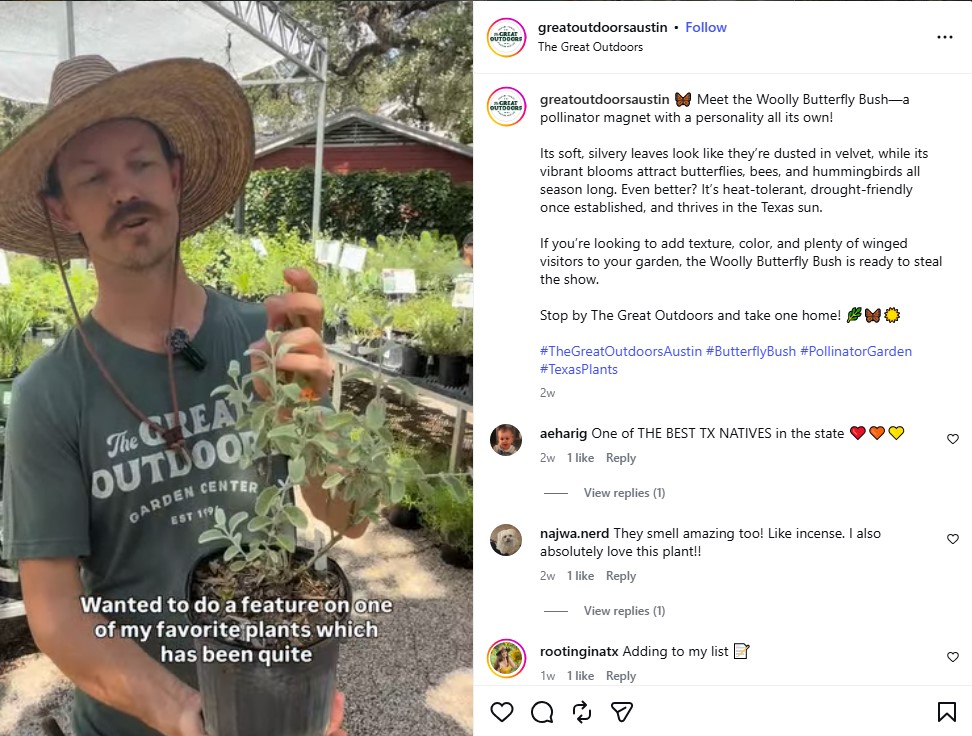
The reel captures the plant’s features, including its soft, silver leaves and colorful flowers. The caption explains how the shrub is suitable for eco-friendly landscaping because it attracts bees, butterflies, and hummingbirds.
The viewers can observe the plant and picture how it might look in their pollinator-friendly yard, while the focused subject keeps the information easy to remember.
10. FAQ or myth-busting posts
FAQ and myth-busting posts answer recurring questions and correct advice that leads to poor results. Choose one issue per post and form your answer based on local conditions. Use a talking-head reel or text-led carousel.
Turn a common doubt into useful content:
Display the question or myth on screen
Give the correct answer quickly
Explain what happens if customers follow the wrong advice
Invite viewers to submit another question
Goal: Build trust using your professional experience to answer direct questions from customers.
Best use case: Lawn care misconceptions or questions asked during estimates.
Example from AMS Landscaping/azlawns
A Phoenix turf misconception gave AMS Landscaping the opportunity to post a myth-busting reel with a local focus.
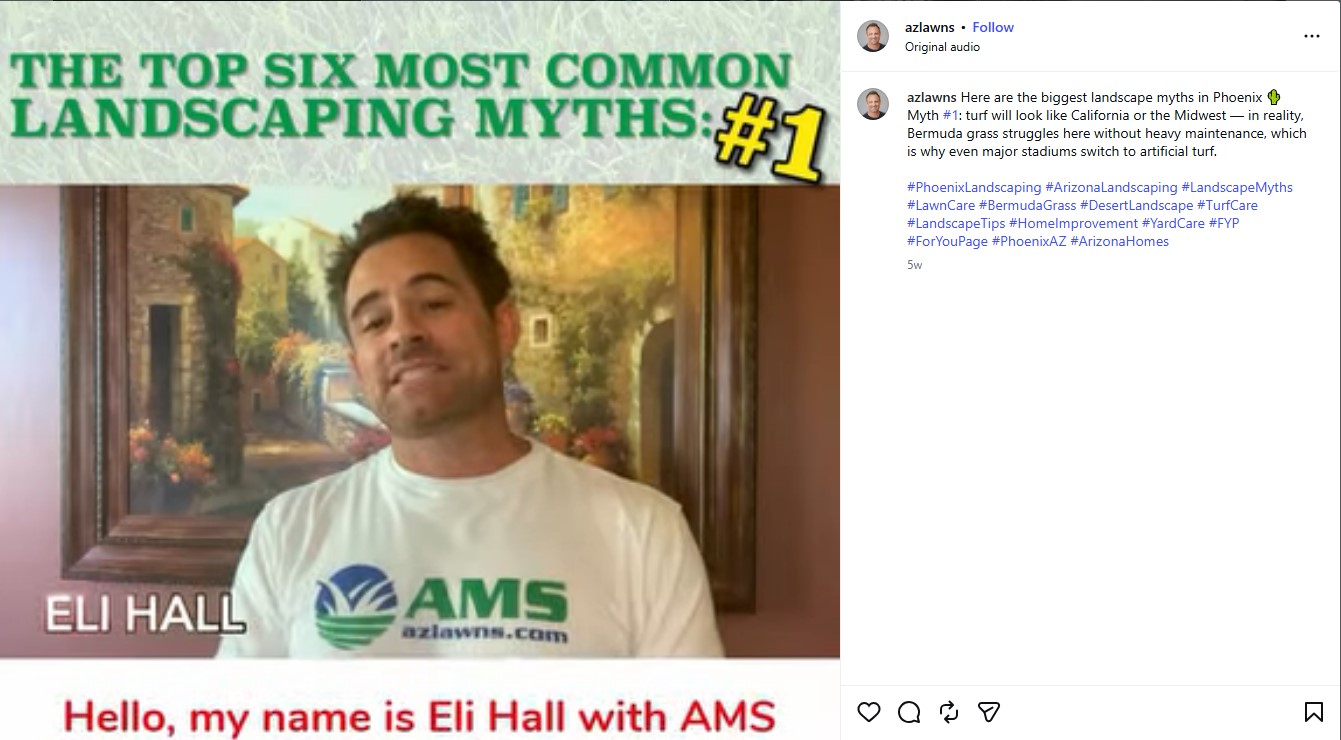
The video challenges the belief that Phoenix lawns should resemble turf in California or the Midwest. The post also explains how Bermuda grass behaves differently in desert conditions.
The local comparison makes the reel more useful than generic lawn advice.
11. Promotional or booking posts
Promotional or booking Instagram posts turn viewers’ interest into an appointment request. Feature one service and give followers a simple way to contact you.
Use a short booking reel or static promotional post and keep the route from post to appointment short:
Promote only one service or a seasonal package
Mention availability or booking deadline and the benefits (if any are offered)
Add a phone number, form, or direct message prompt
Use images of the advertised work
Goal: Encourage prospects to request an estimate or reserve a service date.
Best use case: Seasonal cleanups or short booking periods for maintenance services.
Example from Togo Landscape/togolandscapeco
A free estimate offer gives this Togo Landscape booking reel a clear next step.
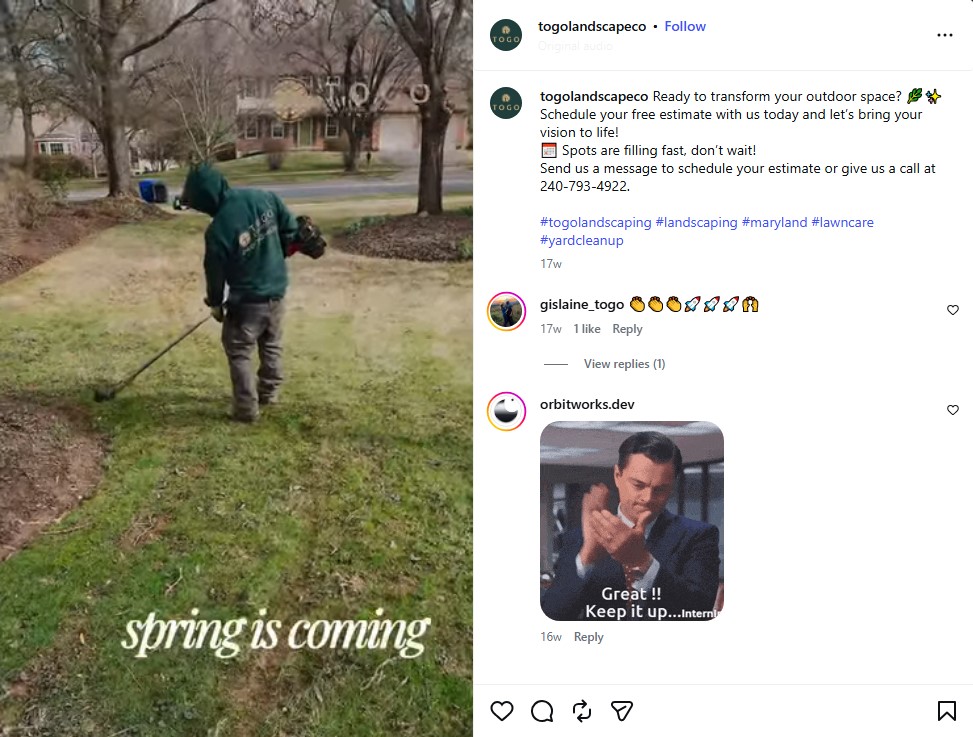
The reel shows different property services through short clips. Its caption includes a CTA (call to action) asking viewers to message or call the company for a free estimate.
Prospects can see the available work and booking method without searching through the whole profile.
12. User-generated or customer content
Customer- or user-generated content (UGC) comes from clients who take pictures or record videos after a job. Tagged Instagram posts show how the work fits into daily life.
Customer tags can also help grow your landscaping business through referrals and profile visits.
After you complete a project on their property, ask customers to share a photo or reel and give clear credit.
Ask clients to tag your account
Request permission to repost their content
Credit the customer in the caption when reposting
Add details about the service offered
Goal: Present your work through customers’ experience.
Best use case: Patios, garden design, drainage systems, or planted areas photographed after several months.
Example from Pearl Landscaping and Patio Company/pearllandscape
A customer’s finished patio supplies the content for this customer repost by Pearl Landscaping & Patio Company.
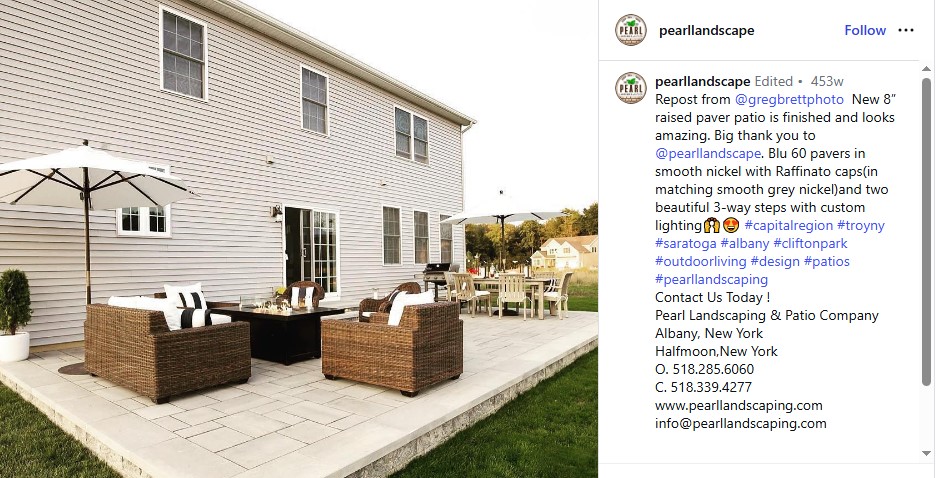
The initial post came from @gregbrettphoto, who thanked the company for the raised paver patio. The caption names details such as the paver finish and custom-lit steps.
That gives the repost a clear source and connects the customer to a specific service.
How do you optimize Instagram posts for local discoverability?
You can improve your local discoverability when your posts name the service and neighborhood in words that nearby prospects search. Precise captions and location signals link your work to local searches.
Use a specific hashtag strategy for a landscaping business
Hashtags help you label topics and place them alongside related content in Instagram searches. Service tags identify the work shown, while local tags connect the post to the area your company serves.
Save this set of hashtags as a reusable source, then choose five tags for each post:
Broad industry tags: #landscaping, #landscapedesign, #landscaper, #gardenideas, #outdoorliving
Niche service tags: #patioinstallation, #retainingwall, #irrigationsystem, #sodinstallation, #mulching
Local tags: #[city]landscaping, #[city]landscaper, #[neighborhood]homes, #[county]landscaping, #[city]outdoorliving
Engagement tags: #beforeandafter, #satisfying, #backyardtransformation, #projectreveal, #landscapingtips
Match every choice to the service, result, or community shown.
Optimize captions and use alt text
Effective SEO for landscaping businesses starts with the phrases prospects use to describe a service or location. Instagram search applies the same principles to captions and profile bios.
Open with natural phrases such as ‘backyard patio ideas in [city]’ or ‘[low-maintenance yard].’
Place the keywords within the first two sentences, then explain the work completed.
Describe the image in the alt text field and add context: “New paver patio with a retaining wall in [neighborhood].”
Add your city and main service to your profile bio, so searchers immediately understand where you work.
Include location tags and geo-targeted stories
A tagged post links to its place page, while tagged stories become eligible for Instagram's search and explore feature.
Tag the neighborhood or subdivision where your crew worked.
For service-area expansion, publish stories from each neighborhood you serve and add the local sticker.
Repeat the neighborhood name in the captions to help prospects connect your services with their area.
Follow up on local interest with Aspire
Local Instagram activity will introduce your company to nearby property owners.
Aspire is a business management platform for landscaping contractors that helps your office teams continue those conversations using customer and property data. Office teams also use the platform for estimates, schedules, invoices, and performance reports.
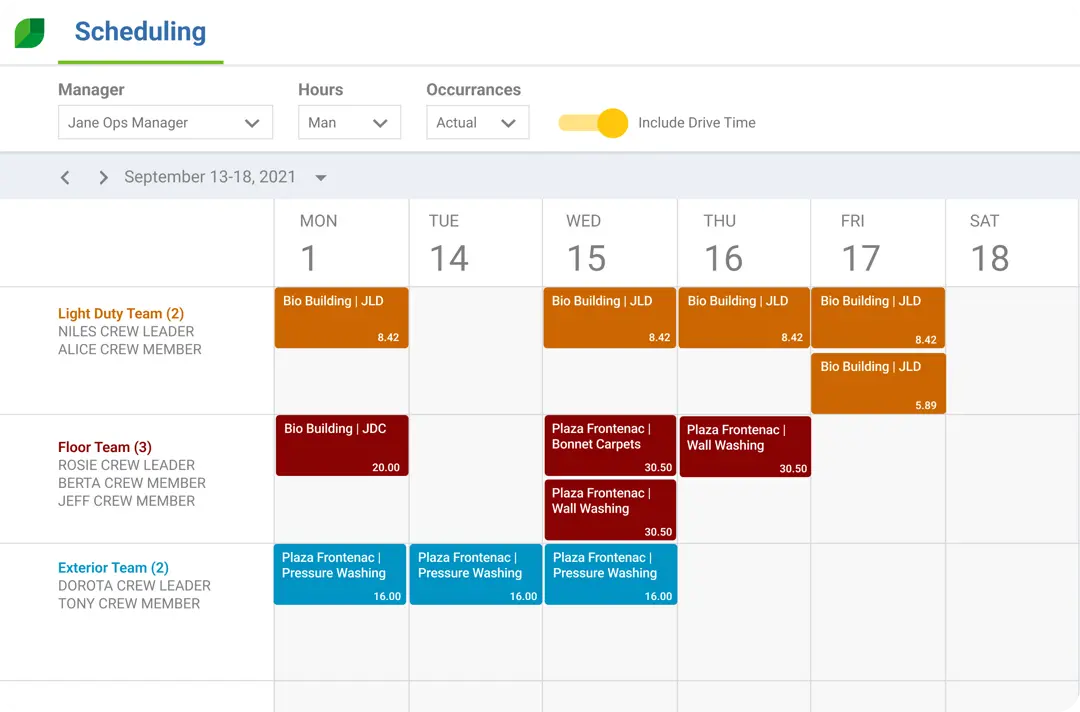
Aspire’s Marketing Pro is a marketing automation tool that draws data directly from the Aspire software, removing spreadsheets and manual list building. Your teams segment audiences by service area, property details, unsold estimates, or expiring memberships.
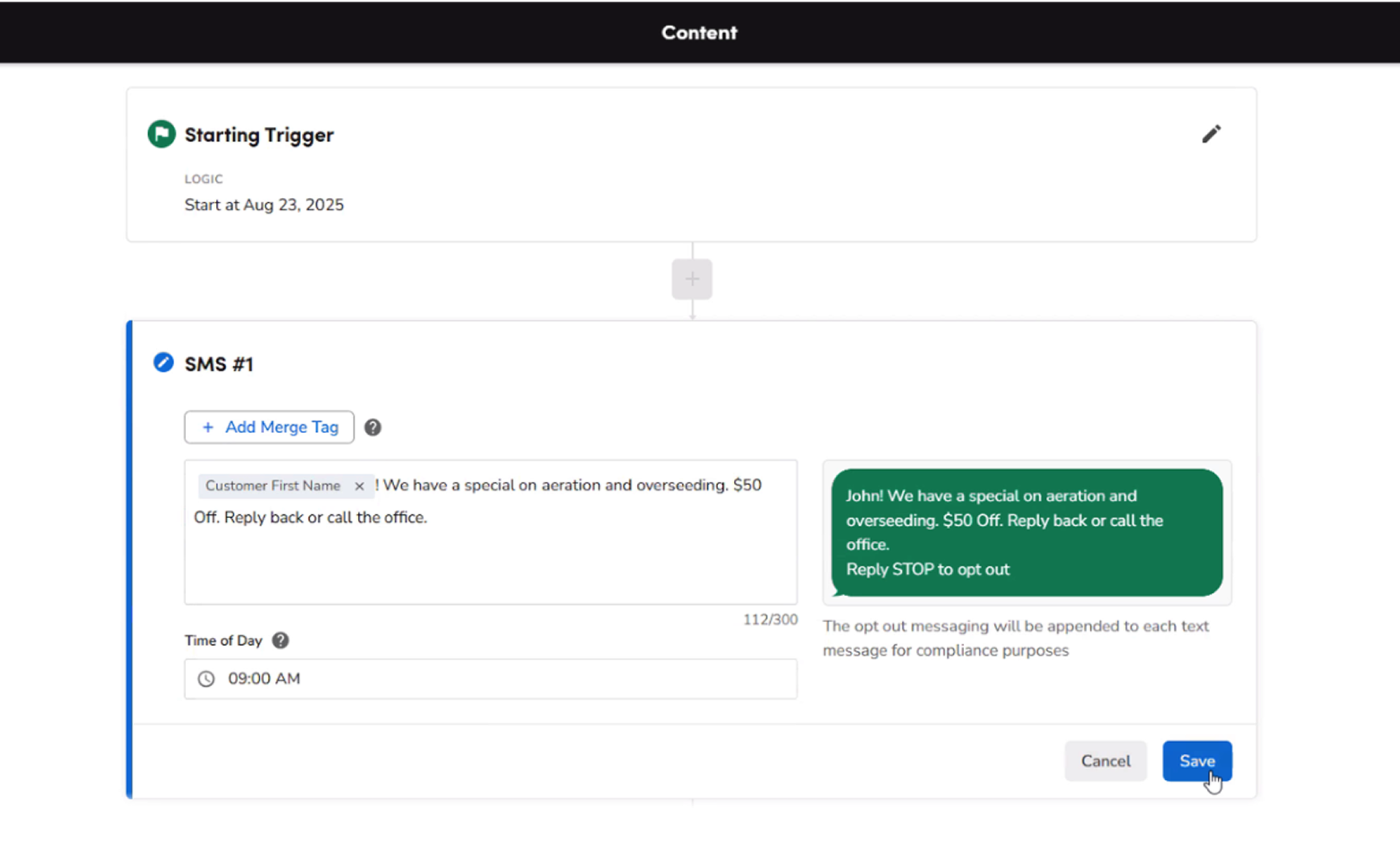
The campaign builder schedules email, SMS, and direct-mail outreach with editable templates and revenue-tracking links that tie each campaign to resulting sales. Services featured in your recent Instagram posts provide a natural starting point for those campaigns.
Over to you
These landscaping Instagram post ideas help you turn everyday jobsite activity into content your clients understand. Before-and-after photos and crew clips document visual progress, while project notes and customer posts supply raw material for the content calendar.
Aspire brings job details and field activity into one place, making posts easier to spot and organize.
To see how the platform supports daily operations and marketing campaigns, book a free demo with Aspire today.
Frequently asked questions (FAQs)
A manageable social media schedule depends on choosing suitable channels and using each post wisely.
Q1. Which social media platforms are best for landscaping businesses?
Instagram and Facebook suit most local landscaping businesses because visual projects fit both feeds. Instagram is ideal for reels and before-and-after posts, while Facebook is better for local sharing. TikTok also works well for short process videos, and LinkedIn helps you network for your landscaping company. Choose the channels your customers use most.
Q2. How often should landscaping businesses post?
Start with two or three feed posts per week, then gradually add stories as crews collect fresh footage.
A steady schedule matters more than daily posting. Review reach, replies, and profile visits periodically, then adjust the pace based on the results.
Q3. What tools can landscapers use to improve social media presence?
A smartphone and a simple editing app such as CapCut or Canva cover most content production. You can also use Meta Business Suite to schedule Facebook and Instagram posts and report results.
A shared folder gives your crews one place to send job-site photos and videos ready to post.
Q4. Can landscapers reuse Instagram content on other platforms?
Yes. Save the original content, then adapt it to the platform you want to repost it on. Adjust the crop, opening text, caption, and call to action for each channel.
Instagram also lets you cross-post to Facebook, though tailored versions fit each audience better.
Q5. How often should you reply to comments under your Instagram posts?
Check comments each business day and respond as quickly as possible (ideally within 24 hours). Respond faster when someone asks about service availability or requests an estimate.
Move conversations involving addresses or personal details into direct messages.
Remove spam, but keep fair criticism visible and answer it calmly.




 866-727-7473
 Schedule Demo
 390 S Woods Mill Rd #300 Chesterfield, MO 63017


